


|
|
|
 |
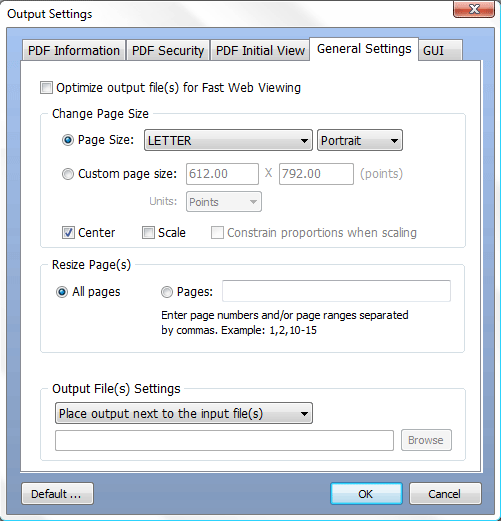
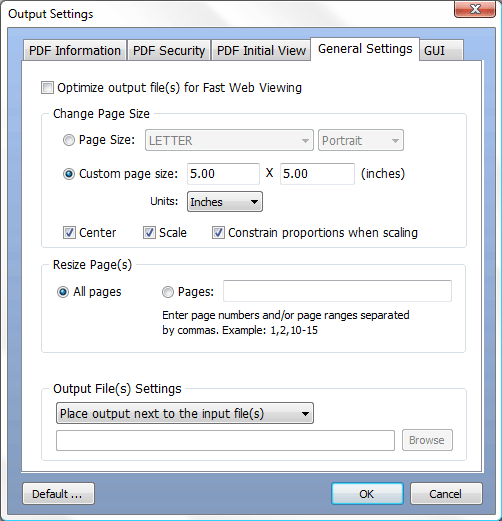
Neevia PDFresize/scaleVERSION 4.4 build 865 Neevia PDFresize/scale is a Windows app that allows you to resize/scale PDF files. You can resize to any paper size that is defined in Windows or you can define your own page size and scale the content to match with the new dimensions. |
 |
Neevia PDFresize/scale is a cost effective application that allows you to instantly resize/scale PDF files. Not only you can resize to any paper size that is defined in Windows but you can define your own page size and scale the content to properly match with the new dimensions. It also comes with a PDF encryption module in case you would like to secure your files while they get resized/scaled.
PDFresize/scale can easily be used from a graphic interface or command line prompt. If you are a developer you can integrate PDFresize/scale with your application using either the COM object or .NET assembly.
The operating systems listed here have been tested with Neevia PDFresize/scale and are officially supported:
 |
 |
 |
 |
|
| Original PDF (8.5 x 11 in) |
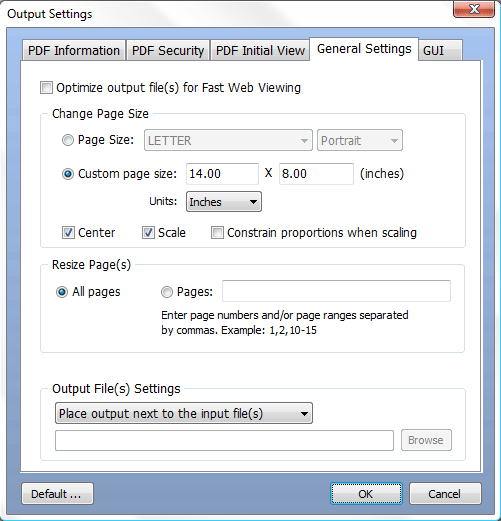
Resizing Settings |
Resized PDF (14 x 8 in) |
||
| ||||
| ||||
 |
|
 |
|
|
| Original PDF (8.27 x 11.69 in) |
Resizing Settings |
Cropped PDF (8.5 x 11 in) |
||
| ||||
| ||||
 |
|
 |
|
 |
| Original PDF (8.5 x 11 in) |
Resizing Settings |
Scaled PDF (5 x 5 in) |
||
| ||||